Case study /01 · Private beta
LiveCue AI
Context
High-stakes calls (sales, interviews, briefings) reward preparation and punish lag. Existing tools summarize after the meeting; LiveCue's job is to help during it, at conversational speed.
Problem
Three hard real-time problems stack: transcribe speech with low latency, generate contextually relevant guidance fast enough to still be useful, and render it in an overlay that screen-share and recording pipelines cannot capture.
Constraints
- End-to-end suggestion latency had to stay within conversational rhythm.
- The overlay must be excluded from screen capture across meeting platforms with different capture behavior.
- Sensitive audio: users needed a local-model path where transcripts never leave the machine.
- The assistant must never audibly or visibly interrupt the meeting itself.
Responsibilities
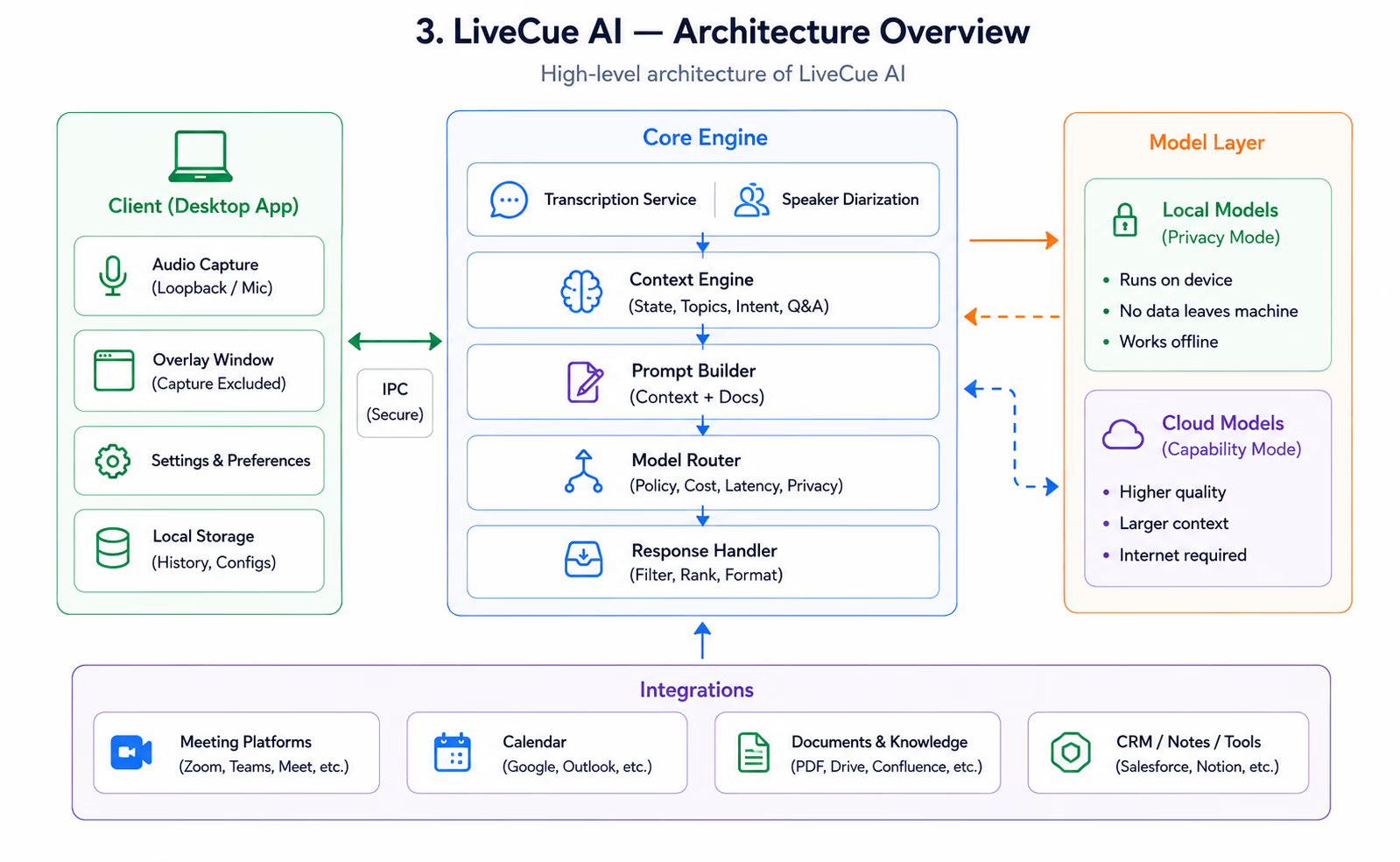
- Desktop application architecture and overlay window system.
- Streaming transcription pipeline with speaker separation.
- Context engine tracking conversation state, topics and open questions.
- AI response generation with switchable local and cloud models.
- Meeting-platform integration and capture-exclusion behavior.
Architecture
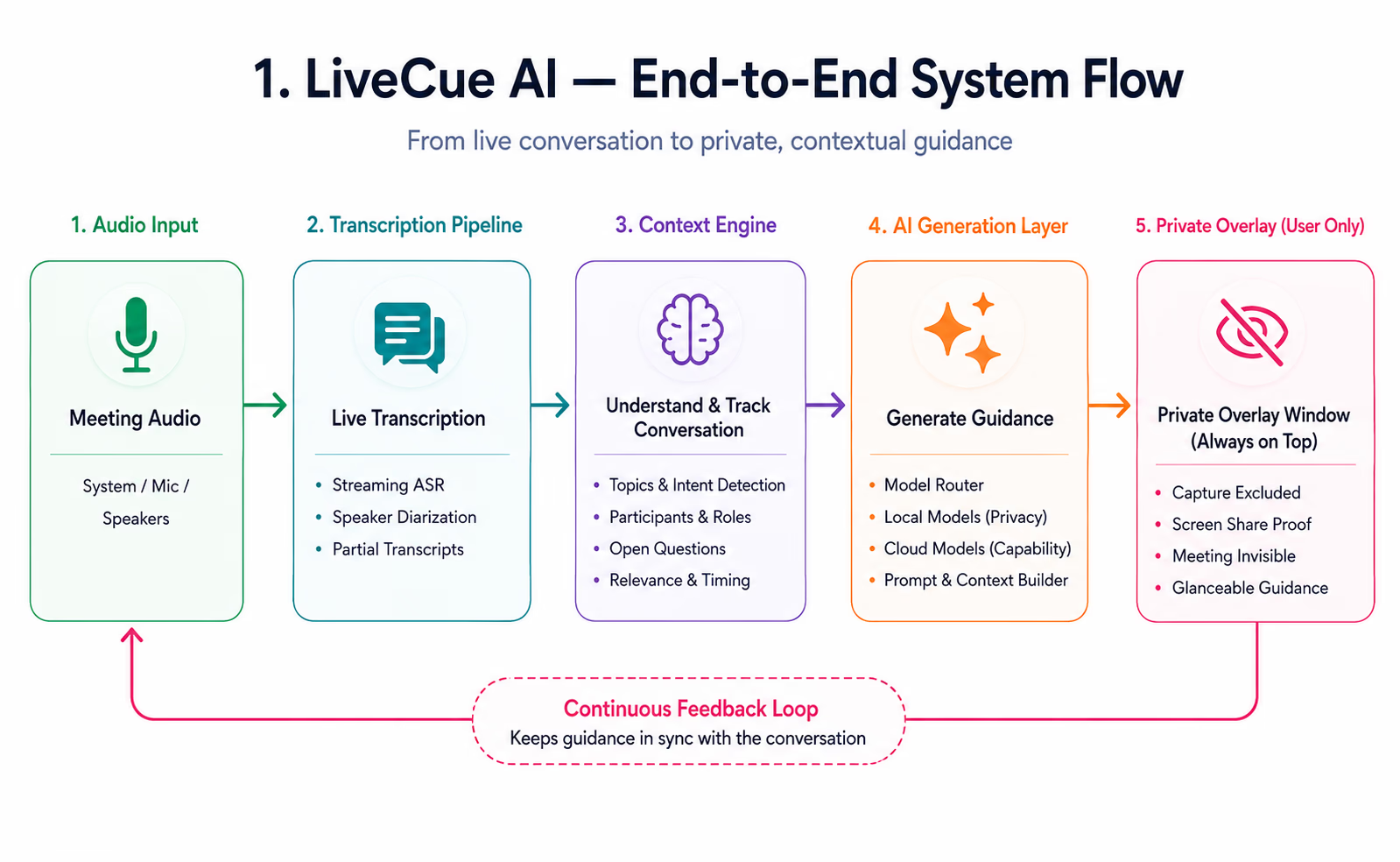
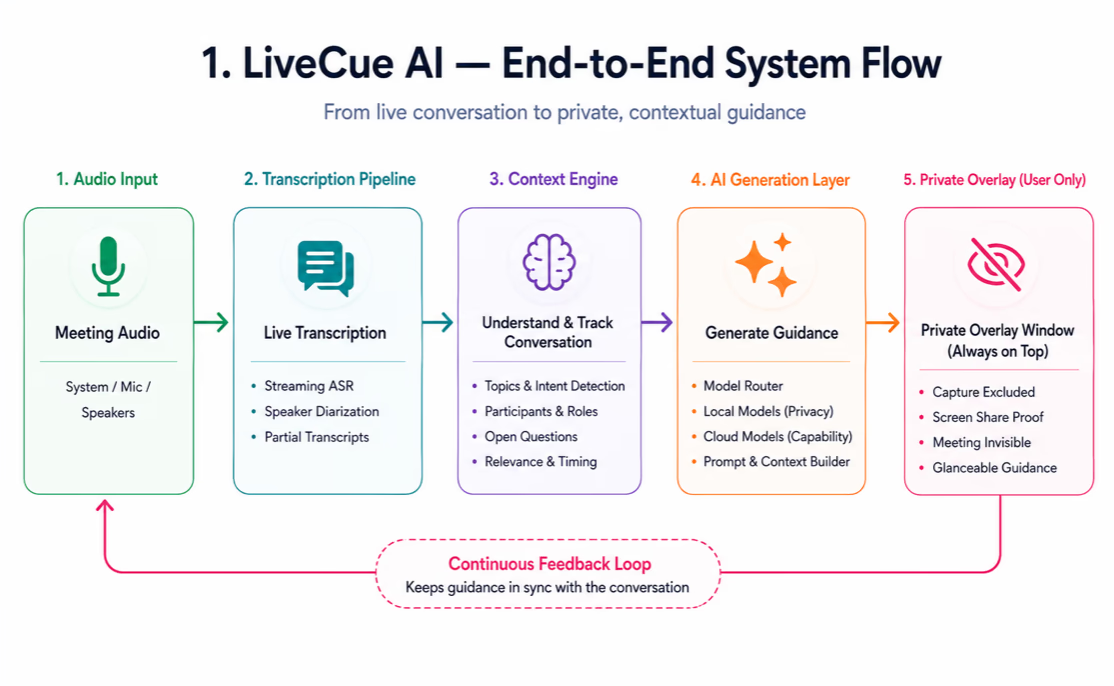
- Audio capture feeds a streaming transcription pipeline; partial transcripts flow into a rolling conversation context.
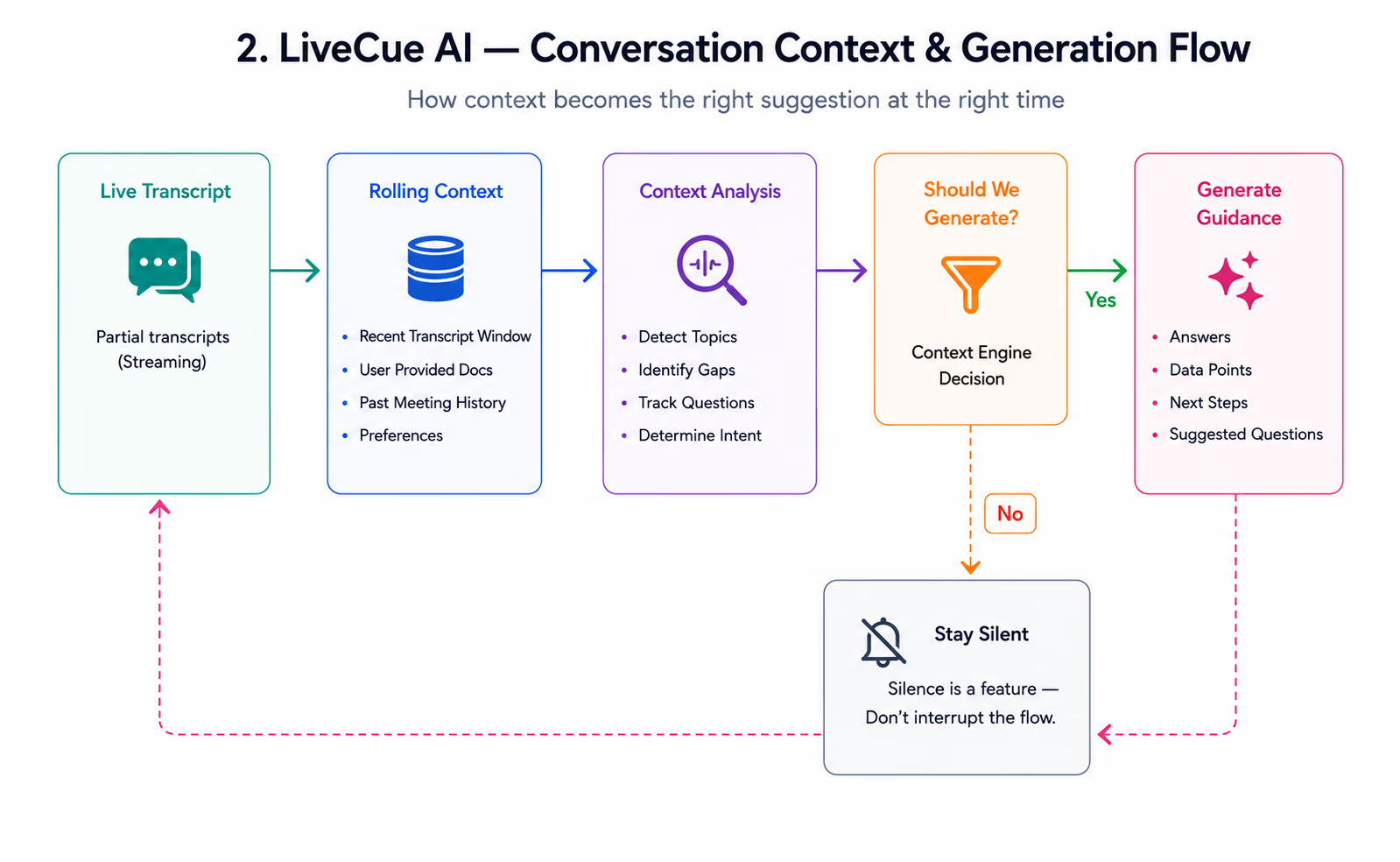
- A context engine maintains the live state of the conversation — participants, topics, unanswered questions — and decides when guidance is worth generating.
- Generation routes to either local models (privacy mode) or cloud models (capability mode) behind one interface.
- The overlay renders in a separate always-on-top window configured for capture exclusion, isolated from the main app process.
Key decisions
- Suggest sparingly: the context engine gates generation on conversational triggers instead of streaming constant output — silence is a feature.
- Support local models as a first-class mode, not a fallback, for privacy-sensitive users.
- Keep the overlay's information density minimal — glanceable in under a second, because the user is mid-conversation.
- Fail quiet: if any pipeline stage degrades, the assistant reduces to transcription rather than showing wrong guidance.
Implementation
- Partial-transcript streaming keeps perceived latency low; suggestions attach to the utterance they answer.
- Prompt assembly composes rolling transcript windows with user-provided context documents.
- Capture exclusion uses platform-specific window flags, verified against the major meeting apps' capture paths.
- Model switching is runtime-configurable so a call can start local and stay local.
Performance
- The transcription and generation pipelines run off the UI thread; the overlay renders from a small reactive state store.
- Context windows are pruned aggressively — relevance beats completeness for live guidance.
- Local-model inference is tuned to the machine's capability tier at startup.
Outcomes
- The overlay reliably stays out of shared screens across supported platforms.
- Live guidance lands within conversational rhythm rather than after the moment has passed.
- The local-model mode makes the tool usable in confidentiality-bound settings.
- [PLACEHOLDER — add beta-user results and latency figures here when publishable.]
Lessons
- For real-time AI, deciding when not to generate matters as much as generation quality.
- Privacy guarantees must be architectural (separate windows, local paths), not policy promises.
- Glanceability is a hard design constraint — it shapes the entire information hierarchy.
Software Architecture